
By Mark Glaser
Lost amid the contentious conversations about the use of artificial intelligence tools in news are the experiences of tiny startup newsrooms — those led by a solopreneur or small team. This group faces extreme time and capacity limitations during the fragile startup phase, as they wear all the hats for their small news businesses. That’s where AI can offer tangible benefits: automating tasks, doing structured copy-editing, helping with research, creating systems such as lightweight fundraising pitches or advertising CRMs and creating data-based products and tools.
In some cases, it can even serve an important role as a “thought partner” for startup founders.
“Some colleagues and I were discussing how AI is, in a way, filling in for the loss of newsroom conversations that one would have had with coworkers,” said Jillian Melero of Connect Puerto Rico. “So many of us work remotely, either as independent journalists or as solo founders. For better or worse, a lot of us are using AI to replace the conversations we're missing by not having colleagues and coworkers to collaborate with.”
We connected with a half-dozen TNC members to learn about how they use AI, and asked them for tips on how other newsrooms like them might approach the technology. Many were wary about AI misuse or overuse that could lead to errors, along with the intense energy and water use required to power AI systems. Staci Baird of La Verne Daily News, for instance, said that her 12-year-old daughter hates AI and reminds her of the environmental cost, but Baird says that it’s an important tool for her work. “For mommy’s career and my job in the world, you’re going to live in, you better figure out how to use it,” she said.
Their main takeaways: Now is the time to start experimenting with AI to make sure you are not left behind. And always double-check anything AI produces.
How TNC newsrooms are using AI
The use cases we heard from newsrooms spanned many topics. This list is by no means exhaustive, but it showcases some of the more interesting and time-saving examples.
Copy-editing and formulaic writing
- Amy Bushatz at Mat-Su Sentinel uses Copy Edit Pro in ChatGPT to help edit stories for AP style without adding information, and also uses AI for creating story summaries and headlines, as well as press releases and grant writing.
- Branden Andersen of Newsberg uses a ChatGPT prompt to copy-edit stories, restructure them and use AP style. He compares changes in a Google Doc to make sure they are correct.
- Staci uses AI to riff on headlines and help “wordsmith” stories. “Chat is such a great thesaurus on crack for me because I have experimented with my tone, my personality and fed it my newsletter copy and asked for puns and alliterations to work into headlines and subheads,” she said.
Transcriptions and translations
- Staci is one of many TNC members who use AI apps such as Otter.ai to help record and transcribe interviews and public meetings.
- Claudia Amaro of Planeta Venus relies on AI to help with translating content for her bilingual website. “As a small newsroom, using AI has helped me save time and close resource gaps for Latinos in the state,” she said.
- Bryan M. Vance of Stumptown Savings uses Google's NotebookLM to work with interview and discussion transcripts, and quickly locates quotes, themes, jokes or consensus opinions.
Research
- Jillian has gone deeply into AI use, starting with illustrations for her newsletter, and then experimenting with strategy and planning. She said, “I’m definitely using it for research because I just can’t beat how fast that is.”
- Staci uses Perplexity for research because it automatically gives sources for the information it finds. She also used AI to help sift through government data. “I'm looking through tons of data posted on the city website and the school district and can prompt the AI: ‘Can you find all the mentions of this?’”
Design and graphics

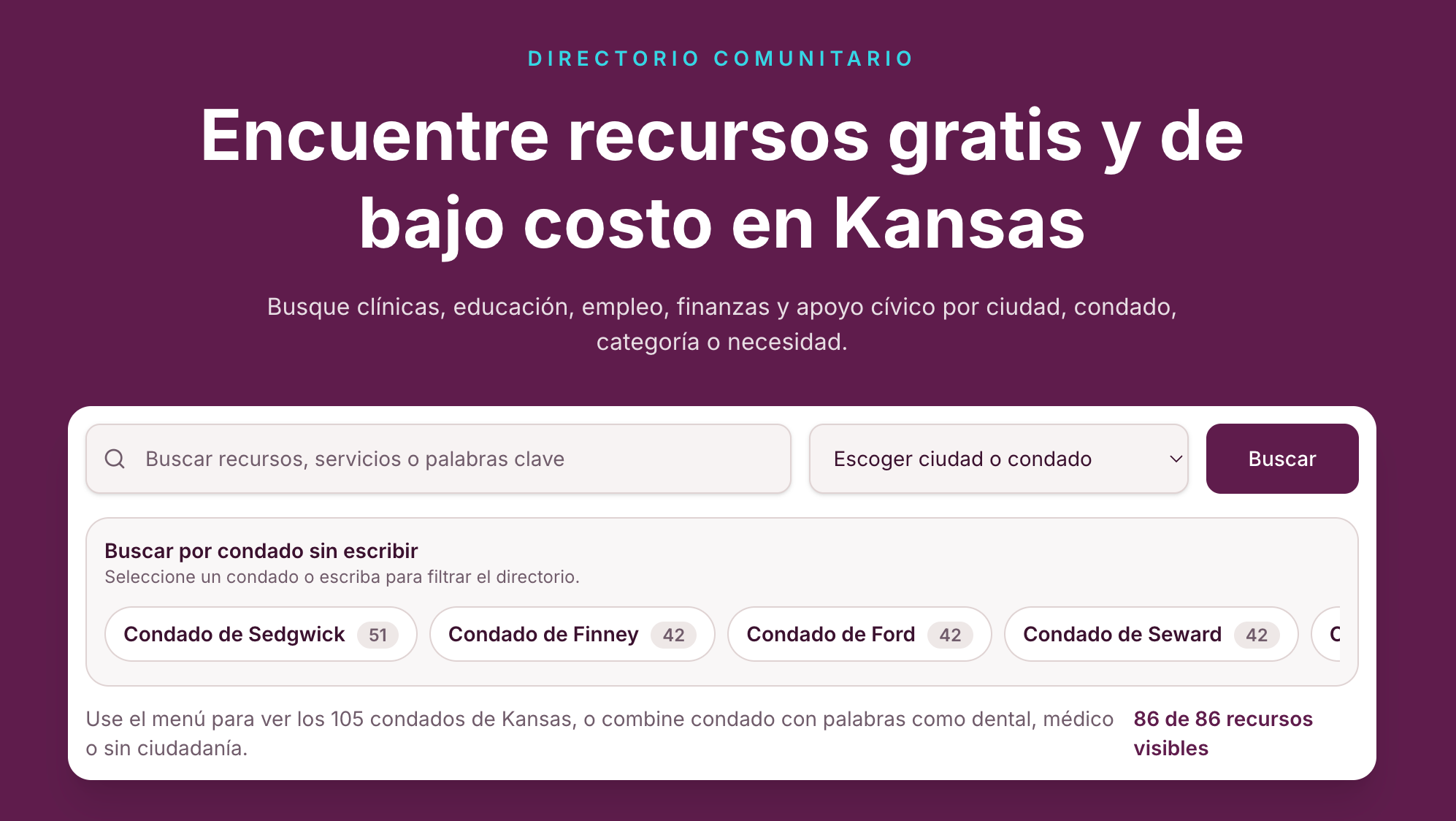
- Claudia has used AI to help with infographics for stories as well as images to illustrate stories, such as the one above for a guide to activities in Southwest Kansas.
- Staci created an 8-bit-style GIF for a story about a new parking ticket for “daylighting” or parking within 20 feet of any crosswalk.

- Jillian uses DALL-E to create visuals for each of her newsletters, including the one above to illustrate how residents need to rely on solar power to run vital medical equipment and preserve medicines because of frequent power outages in Puerto Rico. “I treat the prompts like I am writing a screenplay,” she said. “I make sure to give it a setting, characters, props and action, as well as the aesthetic I am looking for.”
Databases, coding and workflow tasks
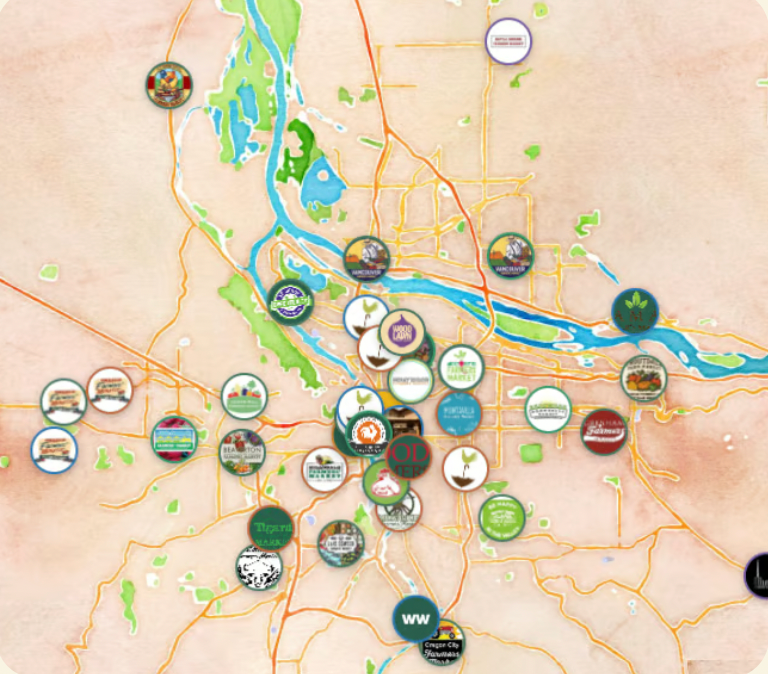
- Bryan has made sophisticated use of AI for Stumptown Savings, using Claude and other tools to help him create reader-facing interactive resources such as a grocery price tracker, farmers market directory and interactive maps (such as the one pictured above). He also uses it for formatting data tables, organizing large datasets and turning structured info into web products. “I use it on the back-end stuff to help me be more efficient, because I am a solo operator and trying to do all this stuff by myself takes a ridiculous amount of time,” he said.
- Amy uses Claude for custom coding, including building special landing pages for new email subscribers and for donors. “I am not in a position to turn down help of any kind, be that from man nor robot,” she said.
- Claudia used AI to help create a handy bilingual resource directory for the Latino community in Kansas.
- Branden used Claude to develop Newsberg’s entire custom website theme code for WordPress over the course of two months.
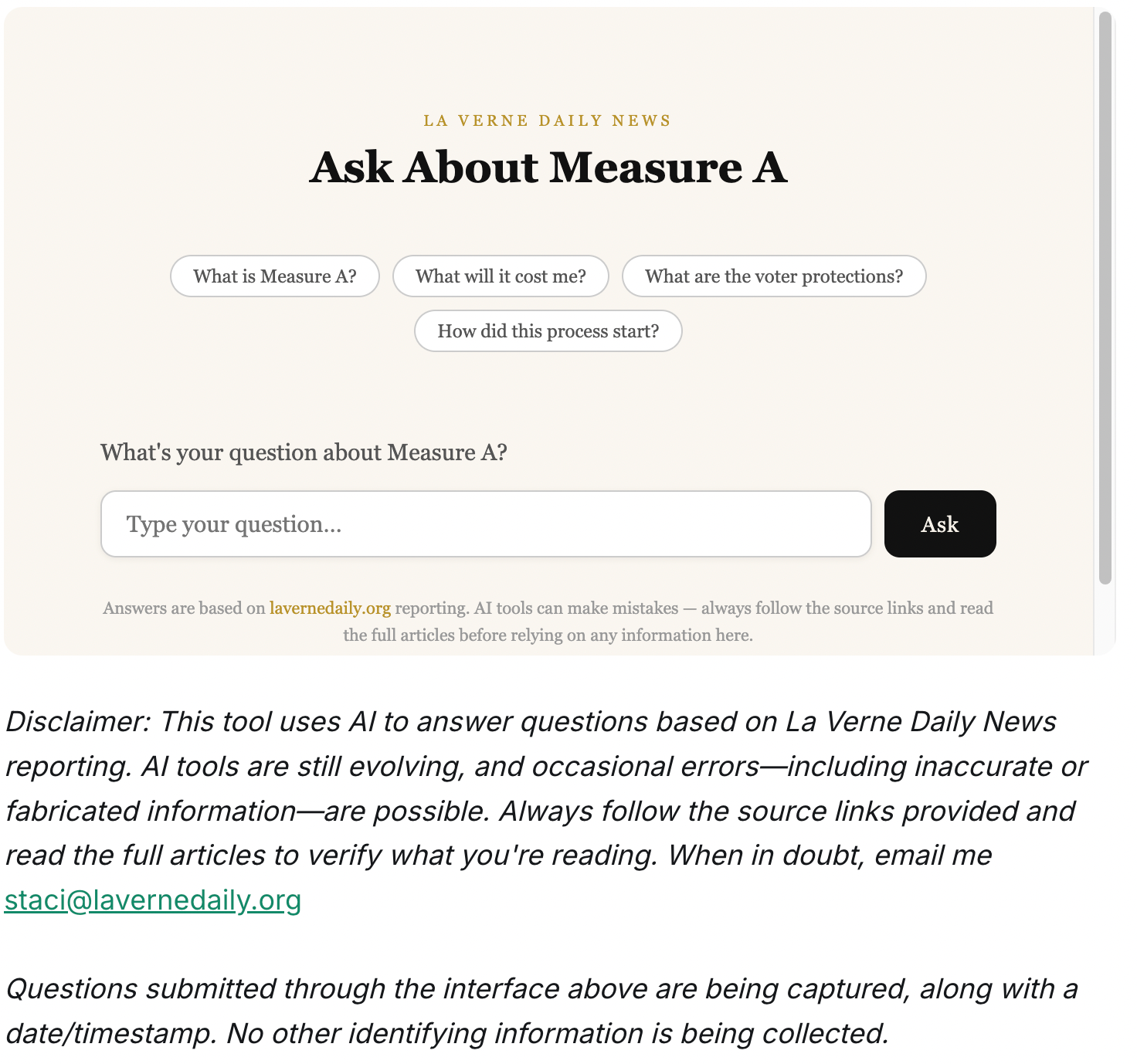
- Staci built a chatbot to help explain a bond measure in an upcoming election, seeding the bot with pre-canned answers to common questions, mostly found in her stories. But the feature didn’t land well with users, who had likely never seen something like that before. “If I did it again, I would promote it differently, call it an ‘interactive story’ instead of a chatbot, and better integrate it into story pages rather than having its own page,” she said.
Best practices for AI use in your newsroom
For solopreneurs or small newsrooms, using AI tools can make a big difference in productivity and in the kinds of products they are able to create, but the key is to find how it might work best for your newsroom and communities. Here are some key tips from TNC members.
1. Check all outputs from AI for errors or hallucinations.
AI works best when there is human oversight and intervention. Although AI models are improving, they still can rely on outdated information and hallucinate things that never happened with utter confidence. Bryan says the best policy is to check absolutely everything that comes from AI.
"You have to read everything. You have to click on everything. You have to make sure that no errant info has been inserted,” he said.
2. Use AI as a thought partner or collaborator.
Beyond just basic tasks, AI can also be used to help bounce ideas off of, or given a specific role to play. Jillian will assign the AI a role as digital editor, or business and trends reporter or social media manager, and then sets limits on time, workload and resources, reminding it that she’s just a one-person operation.
"I use ChatGPT as a thought partner, Claude to generate first-draft artifacts and Perplexity for sourcing and research,” she said.
3. Create a policy for how you use AI and be transparent with your audience.
As AI models and its use are changing constantly, it’s important to consider posting a public policy about your AI use and labeling features and graphics that were generated with AI. Note the disclaimer that Staci used on the chatbot as pictured above. Claudia said that she won’t use AI to write articles or introduce personal information that could place her newsroom or sources at risk. This paragraph is a portion of her AI policy:
This policy establishes guidelines for responsible AI use across all team members and contributors. It emphasizes five core principles: ensuring all AI-assisted content is verified by humans; maintaining transparency with audiences about AI use; keeping editorial decisions strictly under human control; protecting the identity and safety of vulnerable sources by not inputting sensitive data into AI tools; and preserving the authenticity of the Latino editorial voice, ensuring cultural nuances are not lost or distorted.
4. Experiment with AI and learn where it fits best in your workflow.
Staci says the biggest mistake a newsroom could make is to sit on the sidelines and skip AI use altogether. She thinks journalists should actively test AI tools and discover where they can save time or improve their work. Plus, she points out, many journalists are already using AI tools such as Grammarly and Otter.ai without thinking of them as harmful.
"AI is just another tech platform,” she said. “I don't think it's going away. And I think I'd rather not be a local newsroom that is ignoring it. Better to think, ‘I need to figure out how this works.’” Or as Claudia says, “Do not rely on others’ experiences; try it yourself in your own way.”
5. Be sure to add constraints to your AI workflow.
Giving the AI open-ended prompts can lead to trouble. It’s important to be overly instructive, detailed and clear about what the AI should and should not do with each task. Branden says you need to give clear step-by-step instructions to AI or things can go awry. He compares it to giving a robot instructions to make a peanut butter and jelly sandwich.
“If you’re too vague and say, ‘Take two slices of bread and put peanut butter and jelly on it,’ the robot might put a full jar of jelly or entire jar of peanut butter between two loaves of bread and smash it together,” he said. “AI is a lot like that. You have to be able to think a little bit more like a machine and be very oddly specific to make sure you get the right result.”
The common thread among these newsrooms is not blind trust in the technology, but a willingness to test it, refine it and use it responsibly. As AI continues to evolve, the news organizations best positioned to benefit may be those that approach it with equal parts curiosity, skepticism and transparency.
Mark Glaser is a communications consultant for Tiny News Collective, Press Forward, The Lenfest Institute and American Journalism Project. He was the founder and executive editor of MediaShift.org. He was formerly the director of business and program development for the New Mexico Local News Fund. He runs the Wind Power Media consultancy out of Santa Fe.